Labonyx Internal ERP & Operations Panel
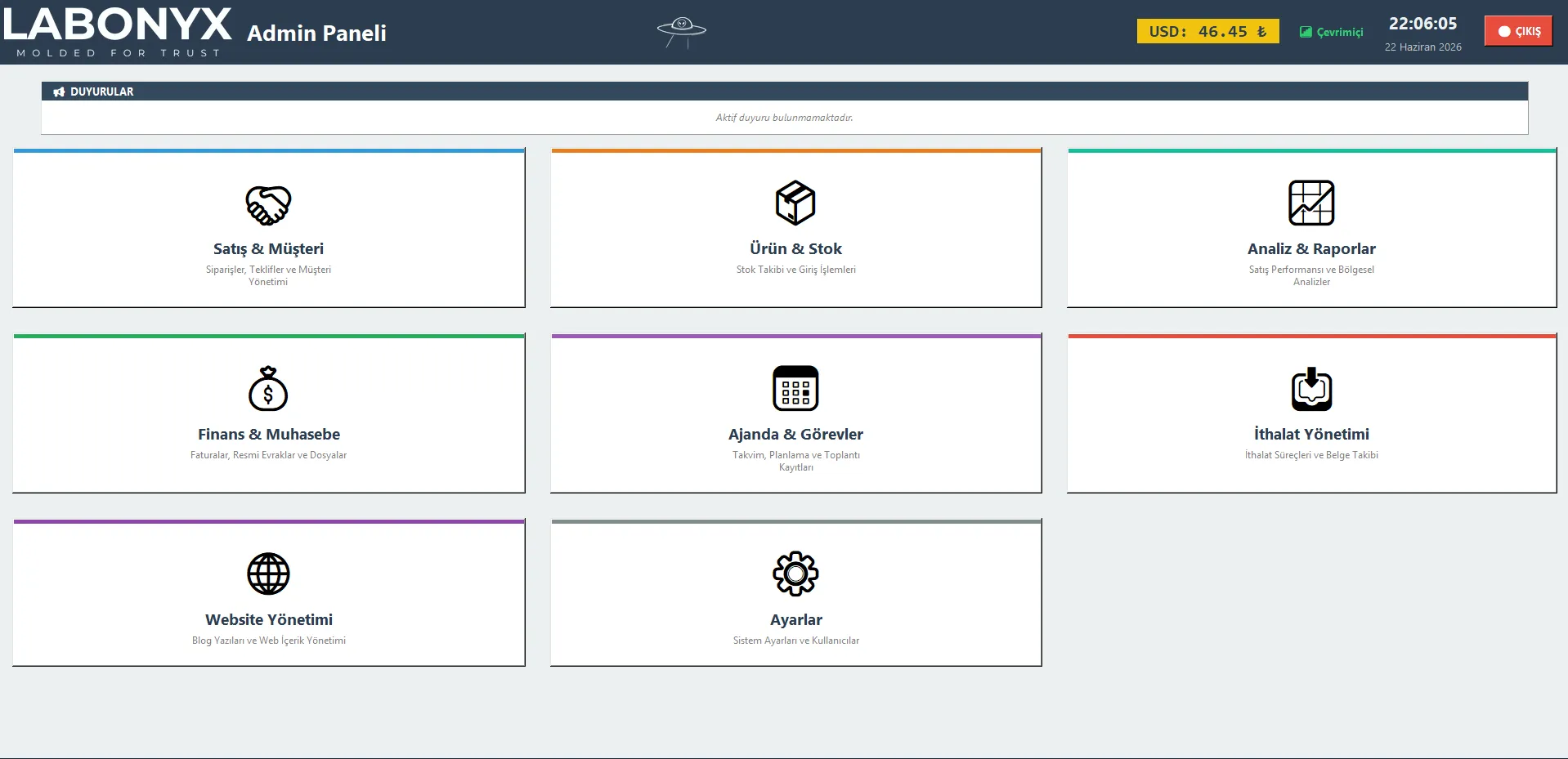
A cross-platform desktop ERP that runs the internal operations of Labonyx, a scientific laboratory supplies company: orders, proposals and price lists, customers, inventory, finance with Parasut invoicing, reports, a website CMS, and a workspace suite, all on top of Google Sheets and Drive. I did not design the app or choose its stack. I inherited a large, vibe-coded Python and Tkinter codebase and refactored it into something reliable, fast, and aligned with engineering principles: one resilient Google API layer that fixed the hangs and dropouts across hundreds of call sites, selective observability, cross-platform packaging for macOS and Windows, and a full forward re-architecture roadmap.
- Python
- Tkinter
- Google Sheets API
- Gemini
- Pandas
- PyInstaller
Summary. Labonyx, a scientific laboratory supplies company, runs its daily operations on a single desktop app: orders, proposals, customers, inventory, finance, reporting, the website, and the team’s workspace, all backed by Google Sheets and Drive. I did not design that app or choose its stack. I inherited a large, rapidly built Python and Tkinter codebase and made it reliable, fast, and sound, without breaking the working product the whole company already depended on.
Plenty of useful software today is vibe-coded: assembled fast with AI, shipped the moment it works. That is how this app came to exist, and it had already grown into the company’s daily tool. The skill I brought is the one a vibe-coded codebase needs most: taking it from works on a good day to works reliably, making it fast, and bringing it in line with real engineering principles, while keeping it shipping the entire time.
What I walked into
Around thirty-seven thousand lines of Python across twenty-five logic modules, all mixed into one application class, with no real separation between the interface, the business rules, and the data access: a single method could touch a widget, a pricing rule, and a Google Sheets call in the same breath. The database was Google Sheets itself, read a full sheet at a time on every screen. It worked, and people relied on it, but it was fragile in exactly the places that hurt: it would sometimes hang, sometimes fail to connect, and sometimes error out for no reason the user could see. That is where I started.
One resilient path for every Google call
The reported symptoms, it takes forever, it won’t connect, it just errored, all traced back to how the app talked to Google. There were a few hundred API calls spread across the code, and almost none of them retried, reset a dead connection, or had a timeout. So I built one place that every call now flows through: a custom request type, injected as the Google client’s request builder, so all of those call sites got the fix at once without rewriting any of them.
Three failures kept reaching users. A shared rate limit, because every request drew on one per-minute Google quota: I gave each user their own quota bucket. A stale connection, because Google quietly closes an idle secure socket and the HTTP library keeps trying to reuse the dead one: I reset the connection pool and retry on a fresh handshake, which the library’s own retry never did. And infinite hangs, because nothing had a timeout: now every call does, so a frozen network becomes a retryable error instead of a frozen app. Services are also cached per thread, since the underlying HTTP layer is not thread-safe, which removed a class of intermittent crashes.
Only logging what matters
To find problems like these you need to see them, but logging every call would bury the signal and slow the app. So the same request path feeds a lightweight logger that records only the calls worth looking at: the failures, the rate-limit hits, the slow ones, and the ones that silently retried before succeeding, which were the invisible source of the sometimes it takes a while reports. Logs are written to daily local files and mirrored to a Drive folder, the writes are safe across the app’s many background threads, and the upload step is careful not to log itself. There is also a local rolling counter that warns when a user is about to cross the quota, before Google ever returns an error.
A roadmap from one class to clean domains
Making it reliable was the urgent half. The lasting half was planning where it should go, so I wrote a full re-architecture plan based on the real code. The heart of it is separation: the twenty-five tangled modules map onto a handful of clear domains, each owning its own data, rules, and screen, instead of one class that does everything.
On top of that separation the plan keeps Google Sheets as the source of record, but puts a fast local database in front of it so screens render from an indexed local copy in milliseconds and the network is touched only when something actually changed. It also rehouses the app in a modern shell with real threading and code signing. The migration is phased so a usable app ships at every step, never a six-month rewrite in the dark. The resilience work above is written to be carried straight into that foundation rather than thrown away.
Shipping on Mac and Windows
It is a real product the team installs, not a script. I package and ship it on both macOS and Windows from one codebase: a signed disk image for the Mac, a proper installer for Windows, an application icon, version metadata, and a single-instance guard so a second launch focuses the running window instead of opening a duplicate. A small test suite covers the parts most worth protecting.
None of this was a rewrite, and none of it disrupted the people using the app. That is the point: a vibe-coded codebase became dependable and fast, with a credible path to a clean architecture, by an engineer who could read the whole system and decide what to fix now, what to plan for, and what to leave alone.
Questions
What is this app?
It is the internal ERP that runs Labonyx’s day-to-day operations: orders, proposals and price lists, customers, inventory, finance with Parasut invoicing, reports, a website CMS, and a small workspace suite, all in one cross-platform desktop app for macOS and Windows.
Did you build it from scratch?
No. I inherited a large, rapidly built codebase that I did not design and would not have structured the same way. My job was to refactor it into something reliable, fast, and maintainable without disrupting the team that depends on it every day.
Why is it built on Google Sheets and Drive?
They are the company’s existing system of record, so keeping them means no data migration and no server to host. The real engineering is making a spreadsheet-backed app feel instant and stay reliable under flaky networks, which is most of what I worked on.
What does ERP mean here?
Enterprise resource planning: one system that unifies a company’s core operations instead of spreading them across separate tools and spreadsheets. This app does that for a scientific laboratory supplies distributor.